
Unity editor tool
Stop losing rare Play Mode bugs. Capture the evidence when they happen.
A bug report without context is a story about something that happened in a room you were not in. BugLens captures the evidence at the moment it is still visible — screenshot status, logs, scene and component state, notes — and exports it as Markdown, JSON, or advisory AI-ready context. Local-first, with no network calls and no telemetry.
Launch price €29 · regularly €49 · one-time, no subscription
- Secure checkout by Stripe
- One-time purchase, no subscription
- Download via your account after checkout
- Refund policy available
- BugLens makes no network calls inside the Unity Editor
- Support at vav-labs.com/support
- Editor
- Unity 2022.3 LTS or later
- Scope
- Editor Play Mode only
- Privacy
- No network, no telemetry
- Price
- €29 one-time, no subscription
What it does
Package the evidence before the trail goes cold.
The V1 workflow is deliberately focused: reproduce a bug in the Editor, pause if useful, capture the evidence, inspect it locally, and export reviewed artifacts for team communication or developer investigation. BugLens does not replace QA, debugging judgement, source control, or issue tracking. It makes the next investigation step start with better context.
The underlying workflow is the same one described in Unity bug reports need evidence, not folklore: capture the moment while it is still visible, review locally, then share only the useful context.
Capture
- One-key capture in Play Mode (Ctrl+Alt+B / Cmd+Option+B) — active or paused. Pause → Capture for tricky runtime states.
- Light and Focused snapshot modes — enough evidence without over-capturing.
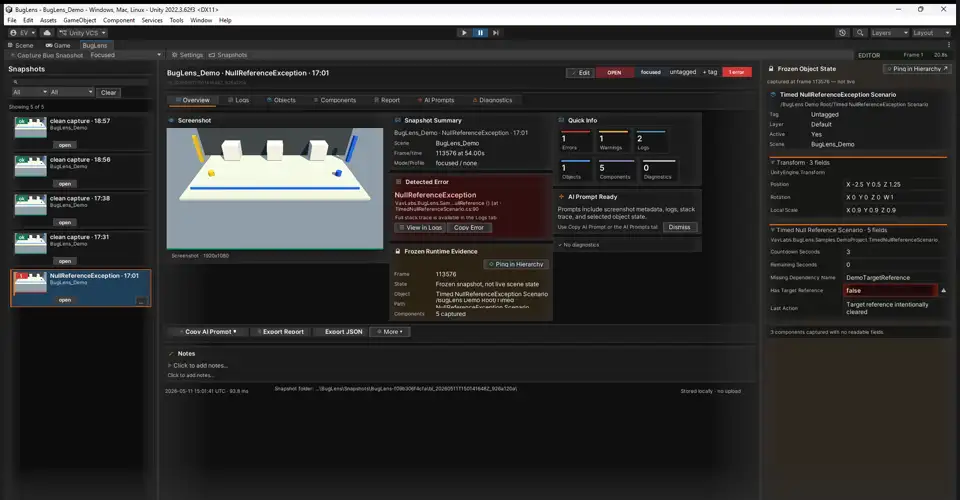
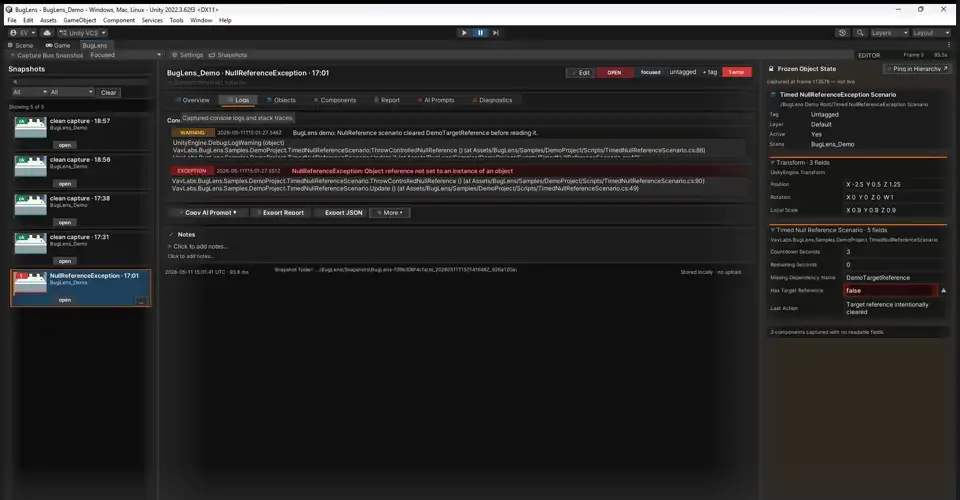
- Records screenshot status, recent logs with stack traces, scene + runtime metadata (Unity version, frame count, play-mode time), and your notes.
Inspect
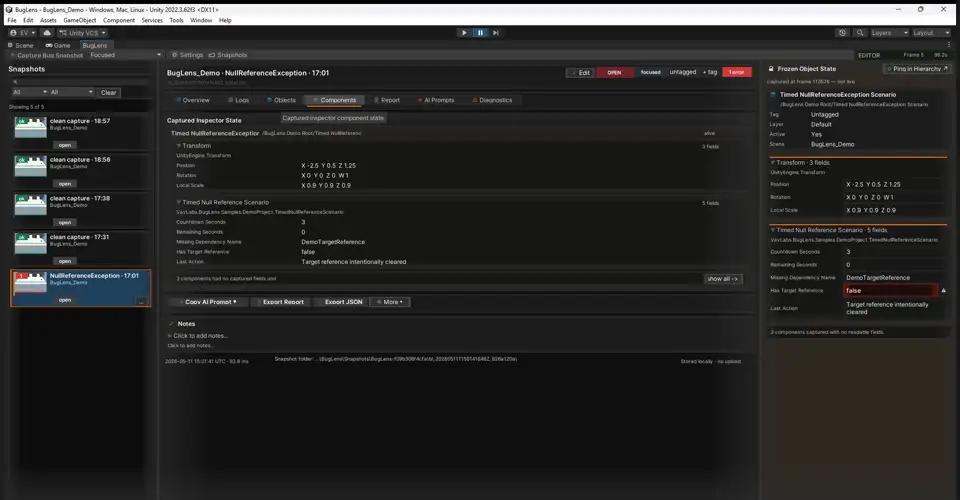
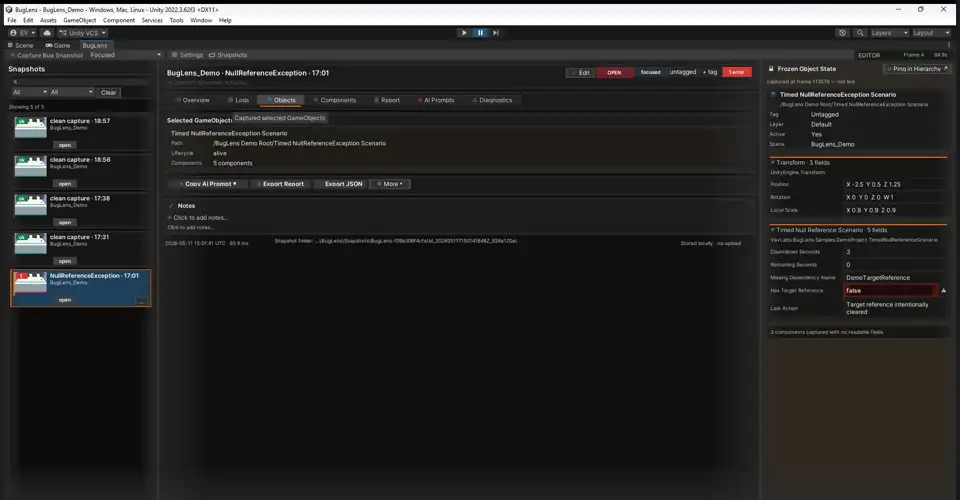
- Focused snapshots capture selected GameObjects + component state — Transform, Rigidbody, Collider, RectTransform — plus public and safely-serialized fields.
- Mark your own fields for capture with a fields-only
[BugLensCapture]attribute. - BugLens Browser with snapshot history, status (Open / Investigating / Fixed / Archived), tags, and filtering.
Export
- Markdown report export with author/studio branding footer.
- JSON export using the public BugLens snapshot contract.
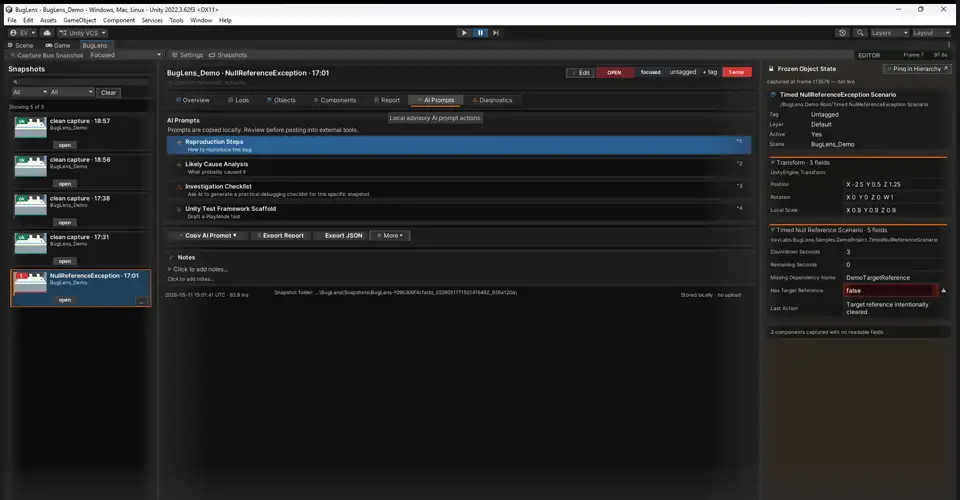
- Four advisory AI-ready prompt packs — reproduction steps, likely cause, investigation checklist, test scaffold — reviewed before use.
Safety & onboarding
- Redaction / exclude rules and safe default storage outside the Unity project.
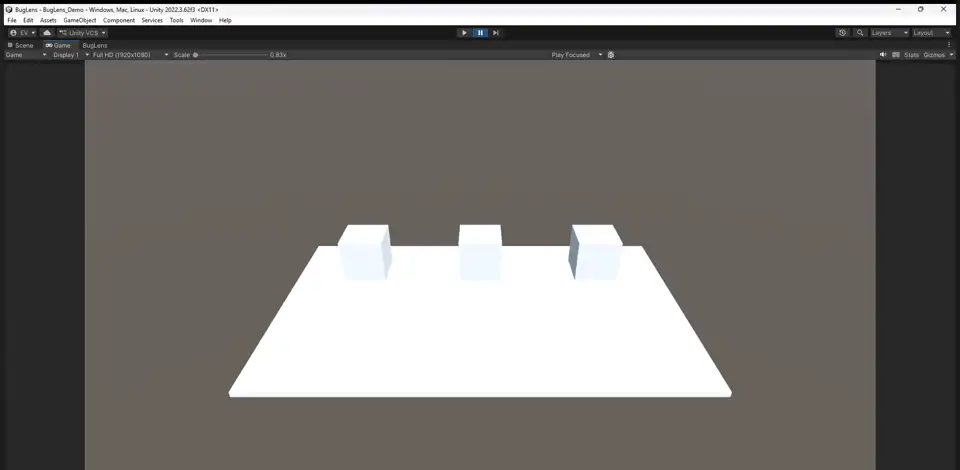
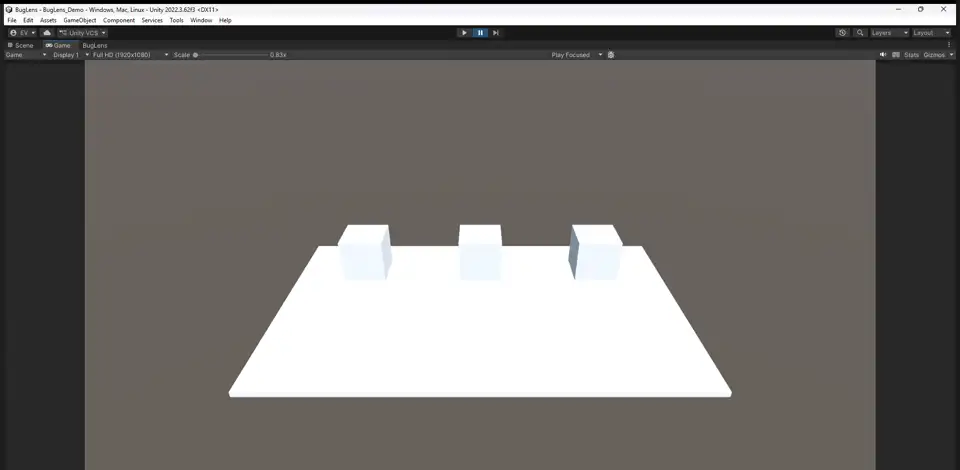
- Demo scene with three scripted bugs: a timed null-reference, a spawner race condition, and a stuck collider.
Screenshots
The actual workflow, not a marketing diagram.
Real captures from the demo scene that ships with BugLens. Same screens you will see on your machine after import, with no editing beyond resolution.
Privacy & data
Local-first, because internal tooling should not phone home.
BugLens makes no network calls and sends no telemetry. It does not upload snapshots, reports, prompts, or screenshots by itself. Snapshot storage is local and defaults outside the Unity project when possible. Redaction rules help reduce accidental exposure, but you remain responsible for reviewing Markdown, JSON, screenshots, and prompt text before sharing them — which matters for studios under NDA and projects under embargo.
Compatibility
What is tested, stated honestly.
BugLens is an Editor-only Play Mode tool. The table separates what has actually been validated from what is still in clean-environment validation. Claims will be widened only as environments are confirmed.
| Environment | Status |
|---|---|
| Unity 2022.3 LTS · Windows · Built-in pipeline | Tested |
| Unity 6000.x | In validation |
| macOS / Linux Editor | In validation |
| URP / HDRP | In validation |
What V1 does not do
The scope, before you buy it for the wrong job.
- Unity Editor Play Mode only — runtime builds are not supported.
- No mobile or Quest device capture in V1.
- No cloud sync, no telemetry, no automatic AI diagnosis or upload.
- Not a full deterministic replay; it captures evidence, not a complete scene state.
- Screenshot availability can vary by Editor state, render pipeline, camera, and pause timing.
- .buglens bundles, the Provider API, and Asset Collector are deferred to a later release.
Design intent
Who BugLens is built for, and what it is designed to change.
These are design intents from the V1 workflow, not measured customer outcomes. Once documented customer results are available they will replace this section.
Freelance Unity developer
Example outcome: Designed to reduce bug-report prep time by exporting one reviewed Markdown snapshot instead of manually collecting logs and screenshots.
Indie game team lead
Example outcome: Designed to make Play Mode race-condition tickets easier to resolve, by capturing snapshot state and logs at the frame of failure.
Technical QA contractor
Example outcome: Designed to improve first-pass repro quality by attaching structured evidence to each ticket, reducing back-and-forth requests for context.
FAQ
Does BugLens upload my data?
No. V1 is local-first: no network calls, no telemetry, and no automatic upload of snapshots or prompts. Nothing leaves your machine until you export, and then you review before sharing.
Does BugLens call an AI service?
No. It exports local Markdown prompt packs and supports copy-to-clipboard. You decide whether to paste reviewed content into an external AI tool. The prompts are advisory and must be verified by a developer.
Does it require a third-party JSON package?
No. BugLens uses its own small JSON writer/reader for a fixed snapshot contract. There is no external JSON package requirement and no bundled serializer DLL.
Can I store snapshots inside my Unity project?
Yes, with care. BugLens warns when the storage override is inside the project and defaults outside it when possible. Add that folder to .gitignore unless your team intentionally wants reviewed snapshots in version control.
Does it support runtime builds or mobile?
Not in V1. BugLens is an Editor Play Mode tool. Runtime build capture and mobile/Quest capture are out of scope for this release.
How is BugLens licensed?
Per developer seat. Each developer using BugLens needs a seat. Shipped game builds are royalty-free and do not count as seats.
Do you offer team or studio seats?
Yes. For 5+ seats, contact support for volume pricing and invoicing options.
How do updates work after purchase?
Updates are delivered through your account download access. V1.x updates are included for existing customers.
What if I buy close to the end of the launch offer window?
Your checkout timestamp locks your purchase price. If your payment is completed during the launch window, the launch price is honored.
What refund cases are accepted?
Refund requests are handled under the published refund policy. Include order reference and purchase email. Support can also help with duplicate orders or mistaken checkout attempts.
Free checklist
Get the Unity bug report checklist by email.
Not ready to buy yet? Get a one-page checklist used to capture better Unity bug reports in under five minutes.
Sent. Check your inbox for the checklist.
Something went wrong. Try again, or use the support page.
We only use your email to deliver this checklist.
Buy BugLens
Buy BugLens directly for €29
Editor Play Mode evidence capture, local review, and Markdown / JSON / AI-ready export. €29 launch price, one-time, no subscription. Requires Unity 2022.3 LTS or later.